
Signed PDF
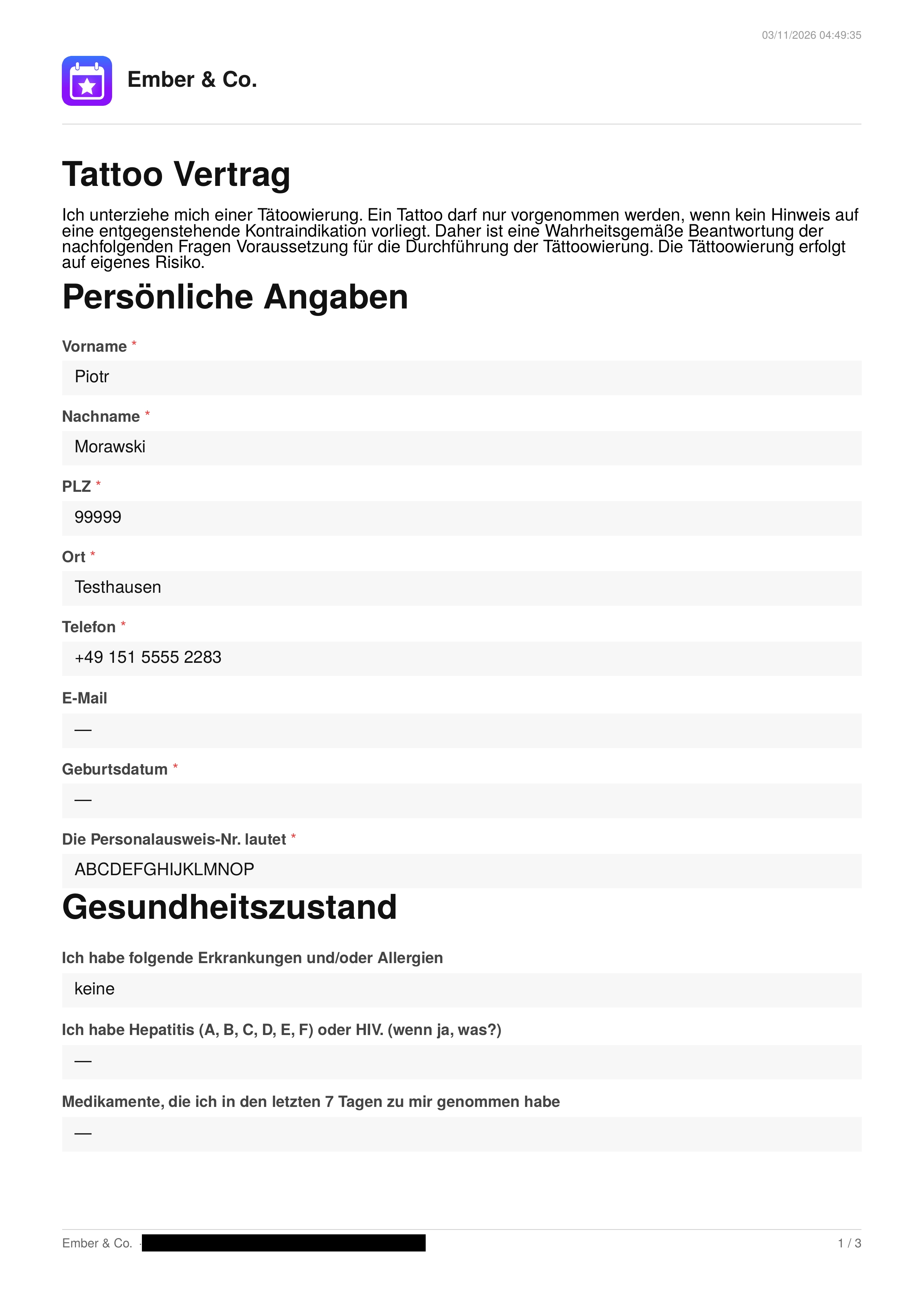
After a customer submits a completed contract, inkStar automatically generates a signed PDF document.
How it works
Section titled “How it works”- Customer completes all fields and signatures
- Customer submits the contract
- inkStar generates a PDF with all filled-in values and signature images
- The PDF is stored securely
- The generation timestamp is recorded
The generated PDF uses the PDF/A format, which is an archival standard that preserves signature data and contains important metadata required for eSign compliance. The PDF includes your company logo, the contract title, all blocks with their filled-in values, the customer’s signature, and a page number at the bottom.
Accessing the PDF
Section titled “Accessing the PDF”On the contract detail page, if a signed PDF has been generated:
- A “View Signed PDF” button appears in the signed document section
- The fill date is displayed
- Tapping the button opens the PDF in your browser
Email copy
Section titled “Email copy”The customer automatically receives an email with:
- A copy of the signed contract as a PDF
- The terms of service, if any were defined on the template
- All attachments that were configured on the contract template
This ensures the customer always has a complete copy of everything they agreed to.
Long-term storage
Section titled “Long-term storage”All signed contracts, including the PDF, signatures, snapshots, and all associated metadata, are stored in a write-only store. This means that once a contract is signed, the data cannot be modified or deleted. It is preserved for at least 8 years after signing, as required by German commercial and tax law (HGB § 257, AO § 147). This ensures full legal compliance and long-term auditability.