
Terms of Service
Contract templates can include Terms of Service (ToS) that customers must read and accept before they can submit the contract. This is useful for sharing your studio’s general terms and conditions, health disclaimers, or any other legal text.
Enabling Terms of Service
Section titled “Enabling Terms of Service”On the template’s master data page, turn on the “Show Terms of Service” toggle. Once enabled, a text editor section appears below the toggle where you can write your terms.
The rich text editor
Section titled “The rich text editor”Tap on the terms of service content area to open a full-screen rich text editor. This editor works similarly to a word processor and supports formatting like headings, bold, italic, lists, links, and more.
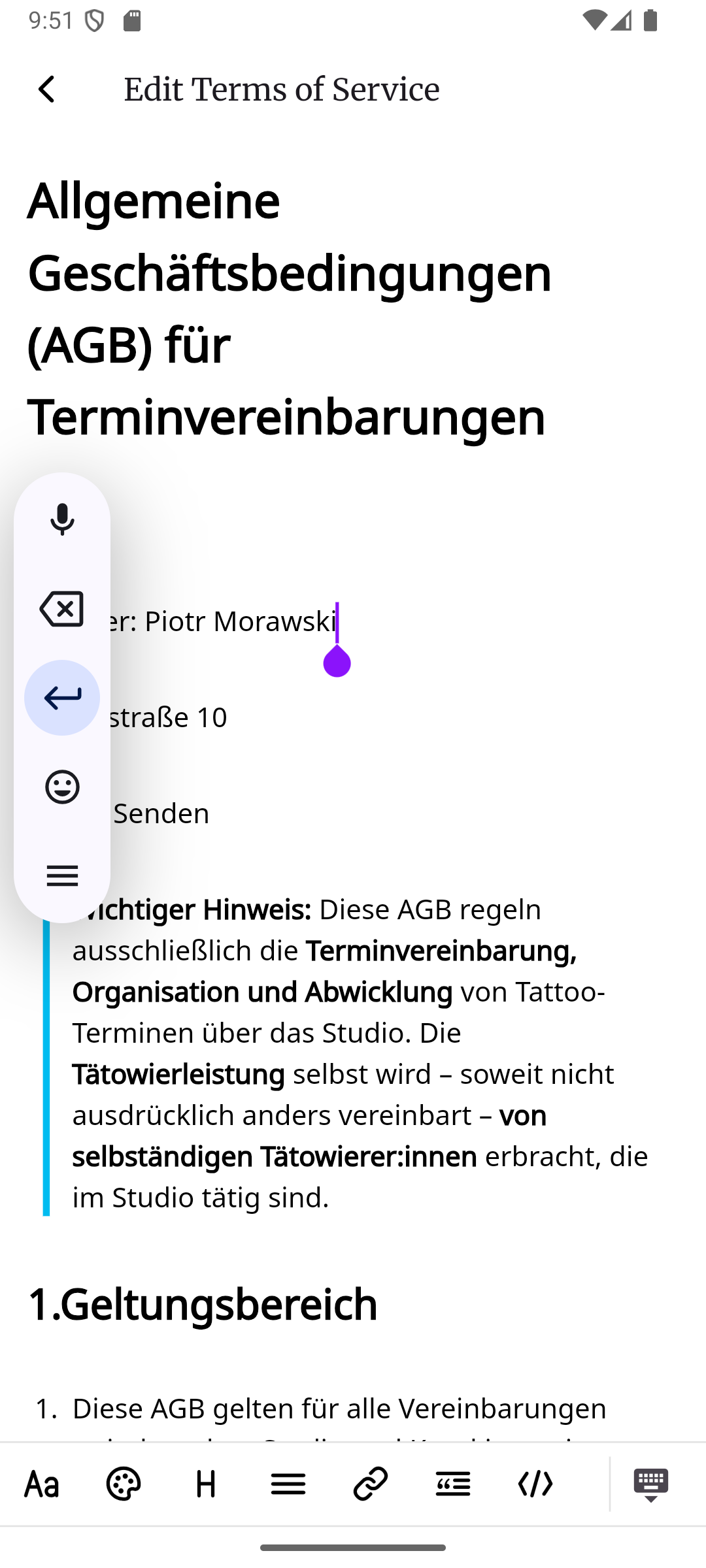
You can type your terms directly, or paste them from another source. The editor will keep the formatting intact.
Importing from a photo
Section titled “Importing from a photo”If you already have your terms of service printed on paper, you don’t have to type them out manually. You can take a photo of the document and inkStar will automatically recognize the text, format it, and import it into the editor. This can save you a lot of time if you are switching from paper contracts to digital ones.
What the customer sees
Section titled “What the customer sees”When a customer opens the contract form:
- A Terms of Service checkbox appears in the consent section at the bottom of the contract
- The customer can tap to view the full text of your terms in a popup
- The customer must check the checkbox to confirm they have read and accept the terms before they can submit the contract
- inkStar records the exact time when the customer accepted the terms, which is important for legal compliance
Data processing consent
Section titled “Data processing consent”In addition to the Terms of Service checkbox, every contract form automatically includes a data processing consent checkbox. This checkbox is required by law (GDPR) and cannot be turned off. It ensures that customers give their consent for you to process their personal data.